How To Bypass The Ink Cartridge Error On An Hp Envy 6055
If your HP Envy 6055 suddenly displays an ink cartridge error, printing can come to a halt and productivity suffers. While the error often points to a genuine hardware issue, many users discover that a simple set of troubleshooting steps can reset the printer and restore normal operation. This guide walks you through safe, practical methods to bypass the ink cartridge error, helping you get back to printing without unnecessary expense.
Understanding the Ink Cartridge Error
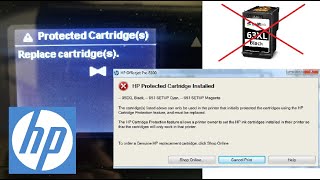
The Envy 6055 uses a sensor system to detect cartridge presence, ink levels, and proper alignment. When the printer cannot confirm one of these conditions, it shows an error message such as “Cartridge Not Detected” or “Replace Ink Cartridge.” The error may be triggered by:
- Improper cartridge installation
- Dirty or damaged cartridge contacts
- Out‑of‑date firmware
- Use of non‑genuine or refilled cartridges
- Electrical glitches in the printer’s control board
Identifying the root cause is the first step toward a successful bypass.
Common Causes That Can Be Fixed at Home
1. Cartridge Not Seated Correctly
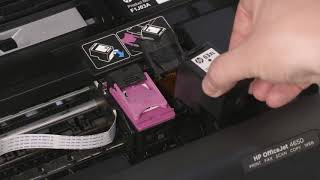
Even a slight misalignment can prevent the sensor from recognizing the cartridge. Remove the cartridge, check the plastic guides, and reinstall it until it clicks firmly into place.
2. Contact Contamination
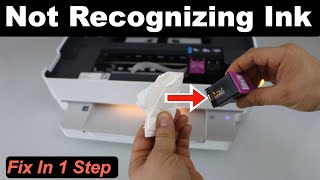
Ink residue, dust, or paper fibers on the copper contacts inside the cartridge or on the printer’s cartridge slot can interrupt communication. A clean contact surface usually resolves the error.
3. Firmware Mismatch
Older firmware may misinterpret newer cartridge chips. Updating the printer’s software often restores compatibility.
Step‑By‑Step Guide to Bypass the Error
- Power Cycle the Printer
- Turn off the HP Envy 6055 and unplug it from the wall outlet.
- Wait at least 60 seconds to allow residual charge to dissipate.
- Plug the printer back in and power it on.
This simple reset clears temporary glitches in the sensor circuitry.
- Remove and Reinstall the Cartridges
- Open the cartridge access door and carefully lift out each cartridge.
- Inspect the cartridges for any visible damage or ink leakage.
- Gently wipe the copper contacts on both the cartridge and the printer slot with a lint‑free cloth lightly dampened with distilled water.
- Allow the contacts to dry completely (no more than 30 seconds) before reinserting the cartridges.
Proper seating and clean contacts often eliminate false error signals.
- Reset the Ink Cartridge Counter