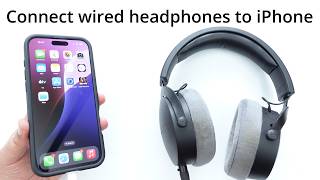
How to Connect Vintage Wired Headphones to an iPhone 15 Pro
If you own a pair of classic headphones with a 3.5 mm plug, you can still enjoy their warm sound on the latest iPhone 15 Pro. The device no longer includes a headphone jack, but with the right accessories and a few simple steps you can make the connection seamless.
What You Need
- USB‑C to 3.5 mm adapter – Apple’s official adapter or a high‑quality third‑party version.
- Optional external DAC or headphone amplifier – especially useful for high‑impedance vintage models.
- A clean, undamaged headphone cable – check for frayed wires or loose connectors.
- A stable surface or stand – to keep the iPhone and adapter steady while you set up.
Step‑by‑Step Guide
- Identify the headphone impedance. Most vintage headphones range from 30 Ω to 600 Ω. Lower‑impedance models (under 100 Ω) work well directly with the iPhone’s built‑in DAC, while higher‑impedance pairs benefit from an external amplifier.
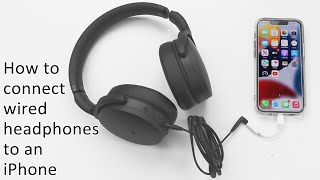
- Choose the right adapter. The iPhone 15 Pro uses a USB‑C port, so select an adapter that converts USB‑C to a 3.5 mm female jack. Look for adapters that support at least 24‑bit/96 kHz audio for optimal fidelity.
- Connect the adapter to the iPhone. Insert the USB‑C plug firmly into the phone’s charging port. You should feel a slight click indicating a secure connection.
- Plug your headphones into the adapter. Align the 3.5 mm plug with the adapter’s socket and push until it clicks. If the connection feels loose, try rotating the plug gently while pressing.
- Test the audio. Play a familiar track or a voice memo. Adjust the volume using the iPhone’s side buttons. If the sound is weak or distorted, consider adding a portable headphone amp between the adapter and the headphones.
- Optional: Add an external DAC/amp. For high‑impedance headphones, connect a USB‑C DAC or amp to the iPhone first, then attach the 3.