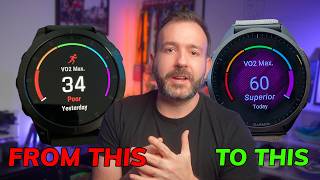
How To Improve My VO2 Max Using Garmin Devices
For many athletes, the phrase “VO2 max” represents the ultimate benchmark of aerobic fitness. Garmin wearables make tracking this metric easy, but the real challenge is turning the data into actionable improvements. Below is a step‑by‑step guide that blends science‑backed training principles with the specific features found on Garmin watches and apps.
Understanding VO2 Max and Why It Matters
VO2 max measures the maximum amount of oxygen your body can use during intense exercise, expressed in milliliters per kilogram of body weight per minute (ml/kg/min). A higher VO2 max correlates with better endurance, faster recovery, and improved performance in both running and cycling. Garmin devices estimate VO2 max by analyzing heart‑rate variability, speed, and elevation data collected during outdoor activities.
Set Up Accurate Tracking on Your Garmin
- Calibrate Your Heart Rate Sensor – Ensure the optical sensor is clean and snug against your wrist. For chest‑strap users, verify strap placement just below the breastbone.
- Enable VO2 Max Estimation – In the device settings, turn on “VO2 Max” under the “Performance Metrics” menu. This activates the algorithm that processes your activity data.
- Sync Regularly – Connect your watch to the Garmin Connect app after each workout. Consistent syncing allows the platform to refine its predictions based on your latest performance.
Core Training Strategies to Boost VO2 Max
Improving VO2 max requires a mix of high‑intensity intervals, steady‑state endurance runs, and recovery sessions. Below are three proven methods that Garmin can help you monitor.
- Interval Training – Perform 4‑6 repeats of 3‑5 minutes at 90‑95 % of your maximum heart rate, followed by equal rest intervals. Garmin’s “Interval Timer” can automatically cue work and recovery periods.
- Tempo Runs – Run for 20‑30 minutes at a “comfortably hard” pace (about 80‑85 % of max HR). Use the “Tempo” mode on the watch to keep your effort steady.
- Long Slow Distance (LSD) – Once a week, complete a run that is 20‑30 % longer than your typical distance at an easy pace. This builds aerobic base without overtaxing the cardiovascular system.
Leverage Garmin Features for Data‑Driven Progress
Garmin’s ecosystem offers several tools that turn raw numbers into clear